"What is on this subnet?"
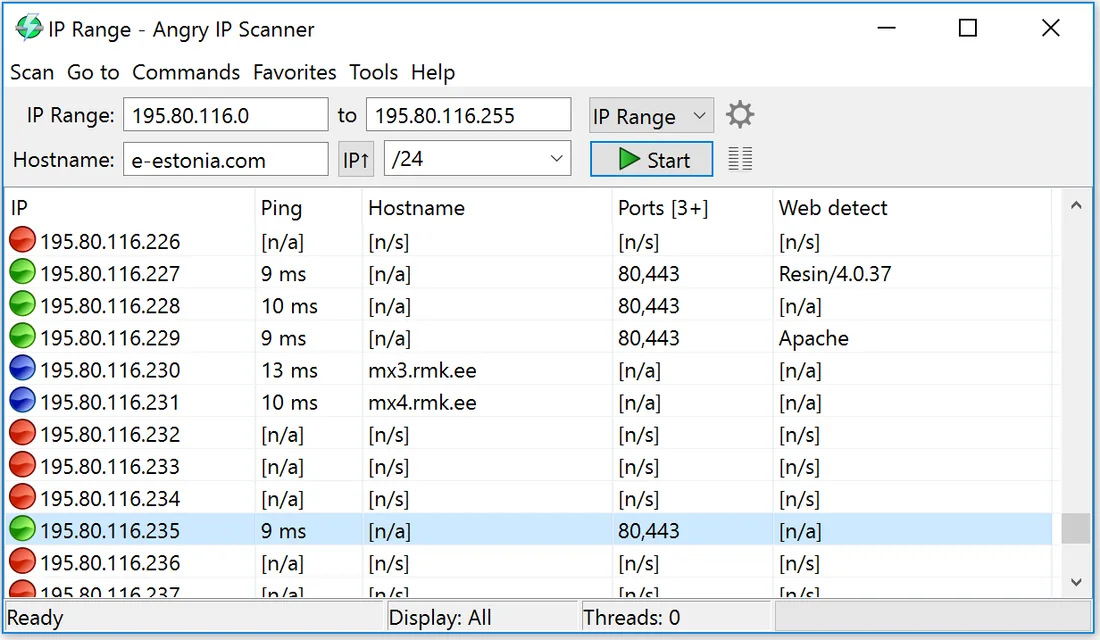
A layer-3 sweep: ping every address in a range, resolve names, grab MAC addresses and a few open ports. Seconds to run, nothing to install.
Three programs cover almost every real job on a LAN: a free cross-platform sweeper, a Windows share-and-printer auditor, and a commercial engineering bundle that reaches down to individual switch ports. Each one below has a full setup guide with the vendor's own screenshots.
Every network scanner answers one of three different questions, and buying the wrong category is the usual reason people conclude that "scanners don't work".
A layer-3 sweep: ping every address in a range, resolve names, grab MAC addresses and a few open ports. Seconds to run, nothing to install.
A Windows-centric audit: enumerate SMB shares, printers and administrative shares per host and record the access rights your account actually gets.
Topology work: correlate ARP and bridge tables over SNMP so a MAC address resolves to a physical port, VLAN and speed.
Ranked by how many people they suit, not by price. Every download link points at the vendor's own site — never a mirror.

Pick 1 · Free

Pick 2 · Windows LANs
Pick 3 · Network engineers
| Capability | Angry IP Scanner | Network Scanner | Engineer's Toolset |
|---|---|---|---|
| Price | Free, GPLv2 | Free edition + paid licence | Commercial, trial available |
| Platforms | Windows, macOS, Linux | Windows | Windows |
| Portable / no install | Yes | Installer | Installer |
| IP range sweep | Yes | Yes | Yes (Ping Sweep) |
| MAC address + vendor | Yes, via fetcher | Yes | Yes (MAC Address Discovery) |
| Open-port detection | Yes, custom port list | FTP / HTTP / SMB probes | Yes, plus port scanner utility |
| Shared folders & printers | No | Yes, with access rights | Partial |
| SNMP | No | No | Yes (v1/v2c/v3) |
| Switch port mapping | No | No | Yes |
| Export formats | CSV, TXT, XML, IP:port | XML, HTML, CSV report | CSV / report export per tool |
| Best for | Fast answers anywhere | Windows share auditing | Topology and troubleshooting |
Knowing the mechanism is what lets you explain a missing host instead of guessing. A local scan uses up to four independent probes, and different tools lean on different ones:
Cheap and universal, but the single most commonly blocked probe. Windows workstations with the default firewall profile drop it, so a ping-only sweep under-reports badly.
On the same broadcast domain, a device must answer ARP to communicate at all. That makes ARP the most reliable local discovery method — and the reason a scanner sees hosts that will not answer ping. It does not cross a router.
Attempting a handshake on 80, 443, 445, 22 or 3389 both proves the host is alive and hints at its role. Slower, and noticed by intrusion-detection systems.
Reverse DNS, NetBIOS and mDNS turn 192.168.1.42 into
FILESERVER. NetBIOS still resolves many Windows and NAS devices that have
no DNS record at all.
Sweeping a network you do not own or administer can breach computer-misuse legislation and almost always breaches an employer's or ISP's acceptable-use policy. Get written permission first. Everything on this site assumes you are working on your own equipment.
Angry IP Scanner is the strongest free option. It is open source, runs on Windows, macOS and Linux, needs no installation in its portable form, and returns IP, ping, hostname, MAC address and open ports for a whole /24 in well under a minute. Full guide →
Find your own IPv4 address and subnet mask, convert that to a range
such as 192.168.1.1-192.168.1.254, and sweep it with a scanner that
combines ICMP ping, ARP and NetBIOS/mDNS name resolution. Devices that ignore ping
still answer ARP, so an ARP-aware scanner sees more than ping alone.
Scanning equipment you own or administer is normal maintenance. Scanning networks you do not control can breach computer-misuse law and your ISP's or employer's acceptable-use policy. Always get written authorisation before scanning a network that is not yours.
For a topology map showing which device sits on which switch port, you need SNMP-based discovery. SolarWinds Engineer's Toolset does this with Switch Port Mapper and MIB Scanner. Angry IP Scanner and LizardSystems Network Scanner produce inventories, not topology diagrams. How to map a network →
The three usual causes are host firewalls dropping ICMP, devices on a different VLAN or subnet than the range you scanned, and Wi-Fi client isolation on the access point. Raise the timeout, scan the correct range, and prefer ARP-based detection.